How to Automate Your YouTube Shorts Workflow with goVeliro
Creating YouTube Shorts can be fast, but producing them consistently requires a lot of small steps. After editing the video, you still need to add captions, check the timing, correct mistakes, and prepare the final version.
When you're producing only one Short, this isn't a major problem. When you're creating dozens every week, the repetitive work starts to add up.
AI subtitles can automate the transcription part. Instead of writing captions yourself, the software analyzes the audio and creates a subtitle draft automatically.
The next step is automating the workflow around those captions.
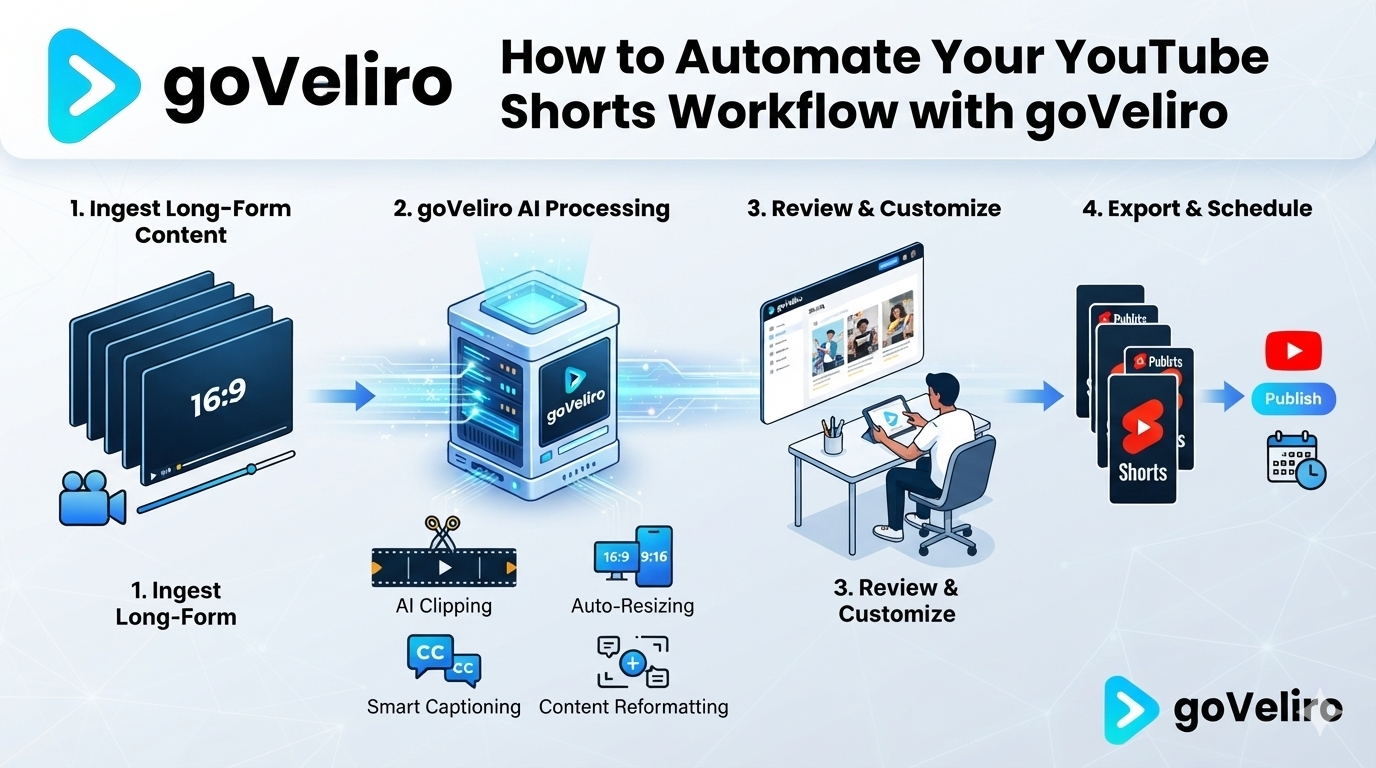
With goVeliro Studio Subtitler, multiple videos can be added to the batch processing workflow. This means you can prepare a folder containing your Shorts and process the videos together instead of starting each one individually.
This can be especially useful when turning longer content into short-form videos. A single podcast or YouTube video might produce ten, twenty, or more Shorts. Processing all those clips separately creates unnecessary work.
The subtitles are generated locally on your Windows computer, so you don't need to upload every Short to an online service. This is useful when you are working with large numbers of files or simply prefer keeping your videos on your own computer.
You can also review the generated subtitles, make corrections, and export the results in the format you need.
The goal isn't to completely automate content creation. The creative decisions still belong to the creator. The idea is to automate the repetitive parts that don't require much creative input.
For creators publishing Shorts regularly, turning subtitle generation into a batch process can make the entire workflow faster and easier to manage.