How to Subtitle an Entire Podcast Season in One Click

Processing every episode individually can still become a repetitive task. You need to select a video, start the transcription, wait for it to finish, save the subtitles, and then repeat the same process for the next episode. AI may be doing the transcription, but you're still spending time managing every file.
This is where batch subtitle generation becomes useful.
Instead of processing your podcast episodes one at a time, you can add multiple videos to a batch and let the software work through them automatically. With goVeliro Studio Subtitler, you can select an entire group of podcast videos and start the subtitle generation process with just a few clicks.
The workflow is simple. First, select the podcast episodes you want to subtitle. You don't need to open each video separately. Add the files to the batch, choose the appropriate subtitle settings, and start the process.
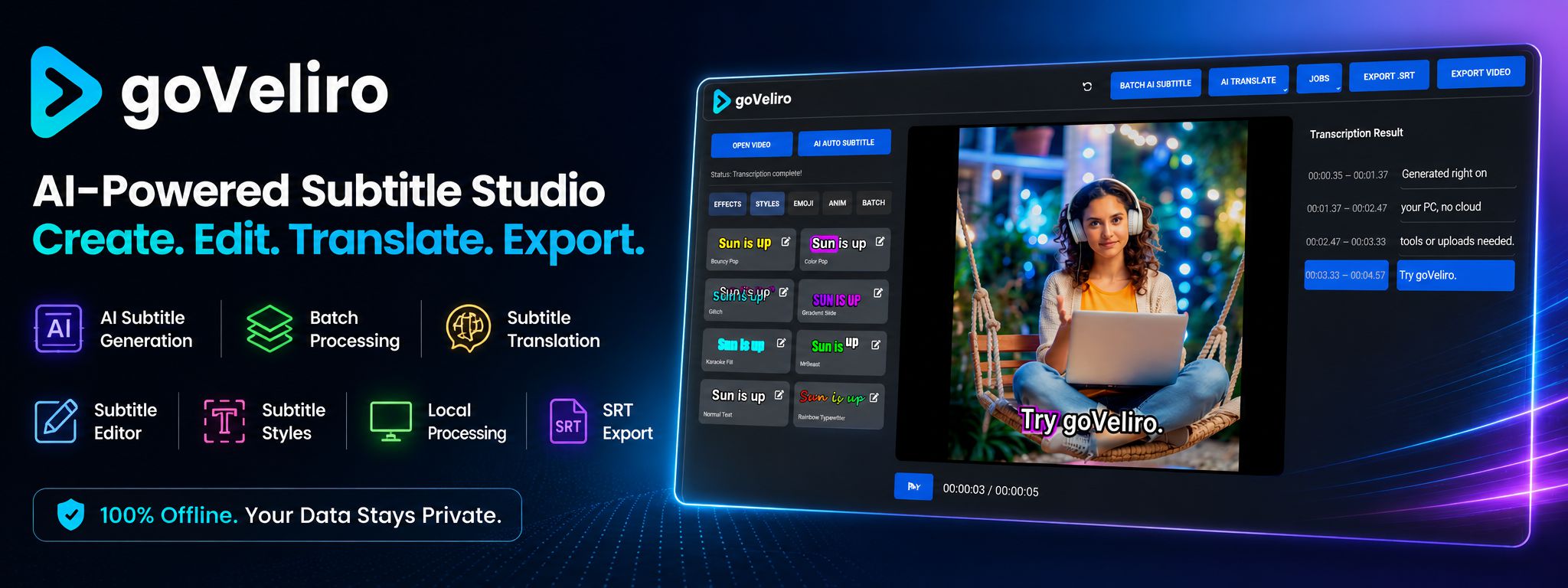
The software then processes the videos one after another without requiring you to manually start each episode. While the batch is running, you can work on other parts of your podcast production instead of constantly checking whether the next episode is ready.
This can be especially useful when preparing an entire season for publication. Imagine having 20 finished podcast episodes sitting on your hard drive without subtitles. Processing them individually means repeating the same steps 20 times. Batch processing turns that into one organized workflow.
It is also useful for older podcast episodes. Many creators have a large back catalog that was published before they started adding subtitles. Rather than spending several days manually managing each episode, you can select the entire archive and let the batch process handle the repetitive work.
Because goVeliro processes the videos locally, the podcast files don't have to be uploaded to an online subtitle service before processing. This can save upload time and gives creators more control over their original video files.
Once the batch has finished, you have subtitle files ready to use with your podcast videos. You can then review the generated subtitles and make any necessary corrections before publishing.
For podcasters with a regular publishing schedule, the biggest advantage of batch processing is simple: you don't have to babysit every episode. Select the videos, start the batch, and let the software handle the repetitive subtitle generation for the entire season.