How to Generate Subtitles for 30 Videos at Once
If you create videos regularly, you've probably noticed that generating subtitles isn't difficult—it's the repetition that slows you down. Processing one video, waiting for it to finish, exporting the subtitles, and then starting over becomes a surprisingly large part of your day.
This is especially true for YouTube creators, agencies, podcast editors, educators, and social media managers who often work with dozens of videos every week. Even if each subtitle job only takes a few minutes, handling them one by one quickly turns into hours of repetitive work.
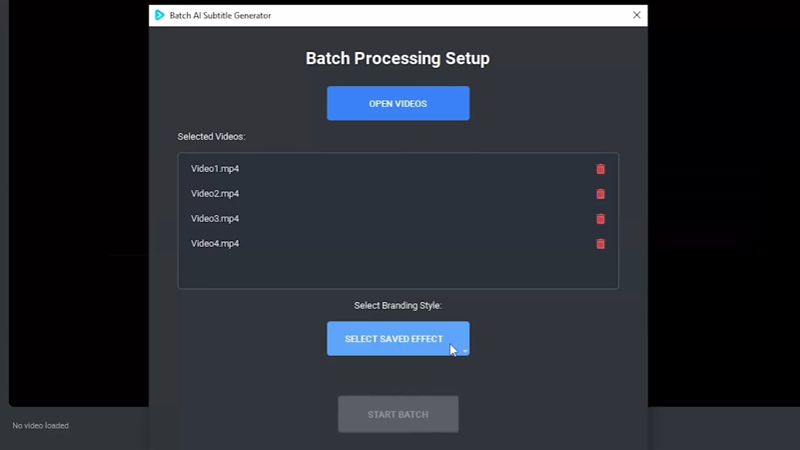
Batch subtitle generation is designed to remove that bottleneck. Instead of loading and processing every video individually, you simply select an entire folder of videos and let the software work through them automatically. Once the process starts, there's no need to keep clicking "Next" or manually export each subtitle file. You can focus on editing your next project while the subtitles are generated in the background.
Another advantage is consistency. Every video is processed using the same settings, making it much easier to maintain a uniform workflow across an entire project. This is particularly useful when producing tutorials, online courses, product videos, podcasts, or large collections of short-form content.
Because goVeliro performs batch subtitle generation directly on your own computer, there's no need to upload dozens of large video files to a cloud service before processing begins. Your videos stay on your PC, processing starts immediately, and your internet connection isn't part of the workflow.
For anyone who regularly creates content in volume, batch processing isn't just a convenience—it helps eliminate repetitive tasks, keeps production moving, and gives you more time to work on the creative parts of your videos instead of waiting for subtitles to finish.